Tutorial
Welcome! Create, save, and share clips of your favorite moments from live streams, videos, and more!
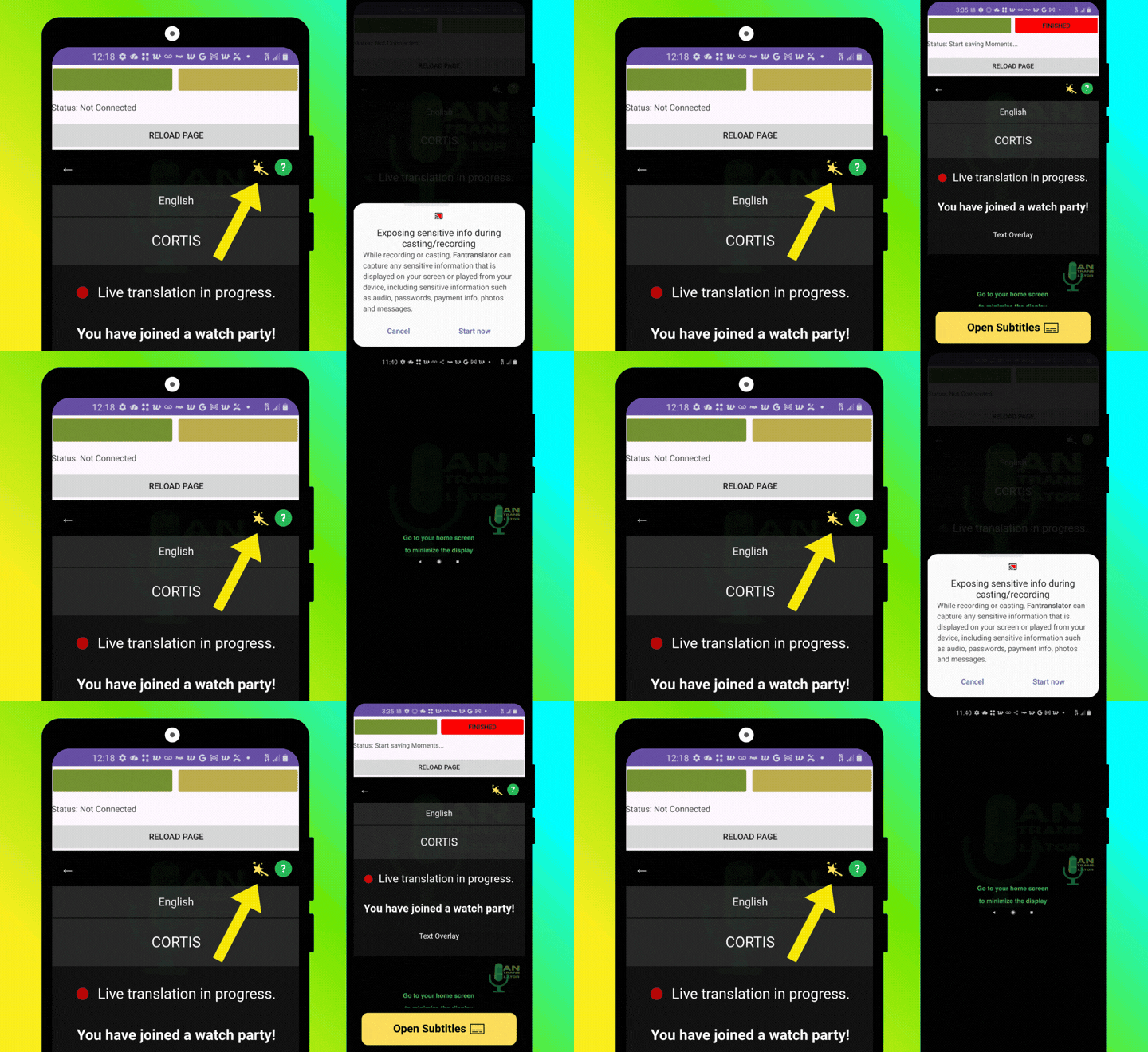
Step 1: Setup
Click the Magic Wand icon to start saving moments for lives, replays, or video content. Then, click "Open Subtitles" and minimize the Text Overlay.
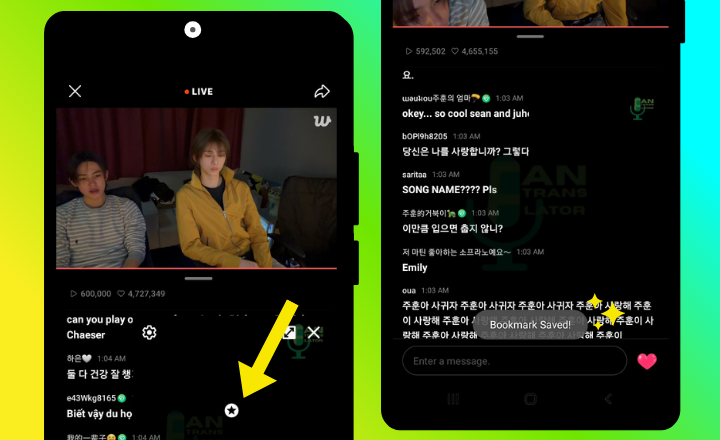
Step 2: Save a Moment
Tap the Text Overlay and click ✪ when you want to save a moment and automatically create a clip of that moment.
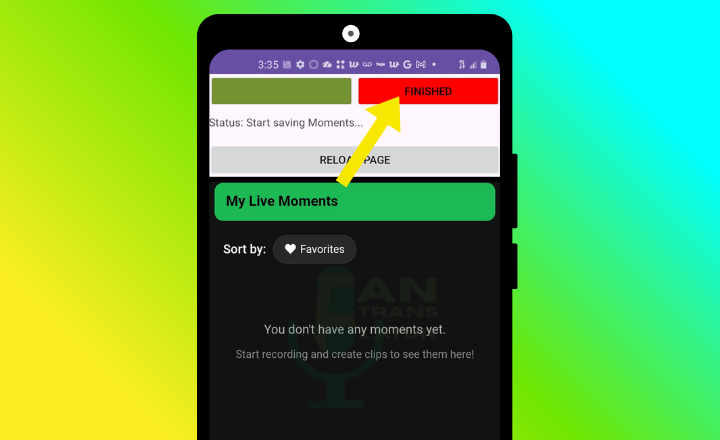
Step 3: Create Clips
Click "Finished", then the clips of your saved moments will automatically appear in "My Moments" library after you end a session. You can watch, favorite, and download your moments!
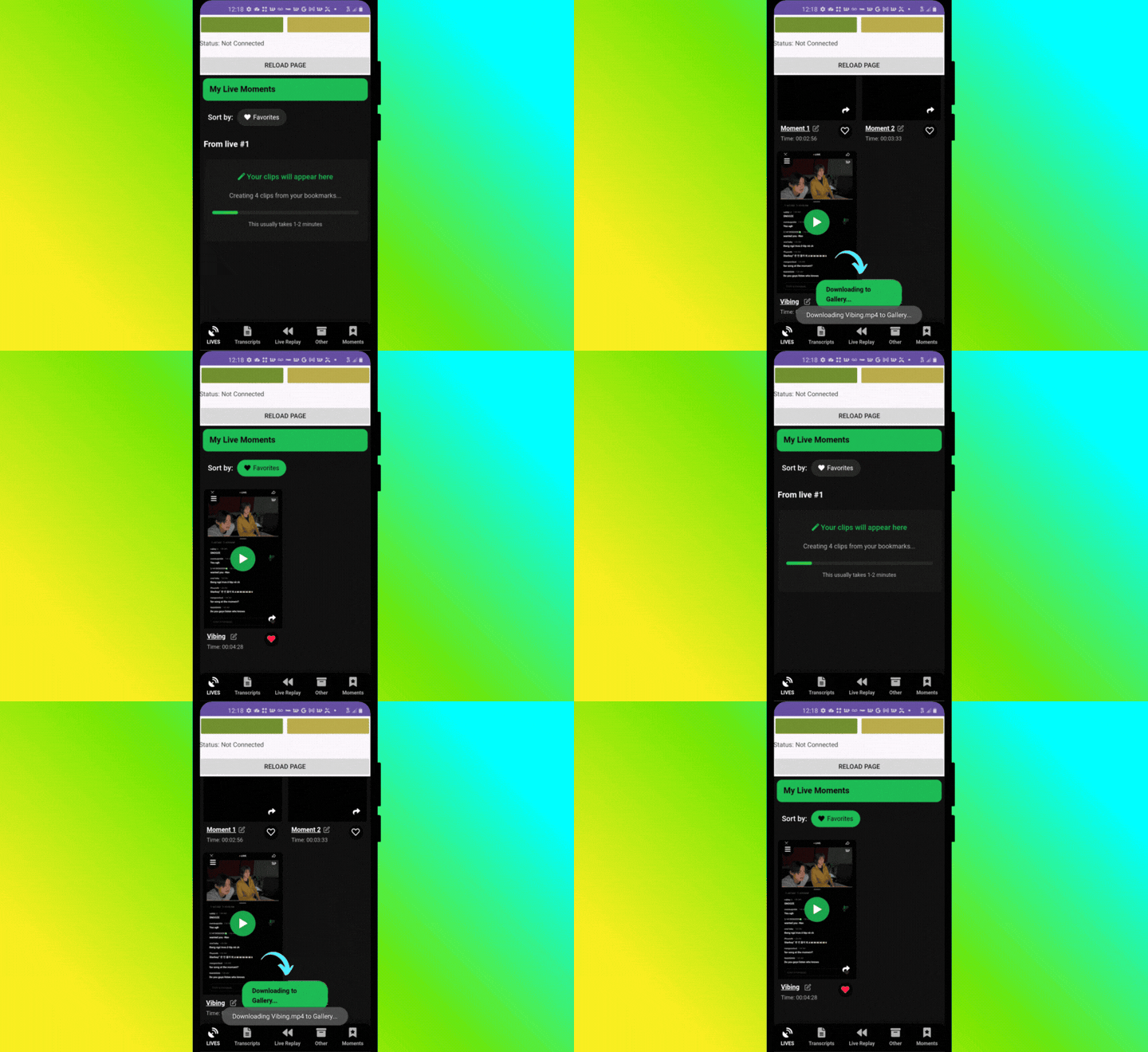
Live the Moment!
Tap Finish to get started with your personal video diary!